
Indoor Golf Simulator Accuracy for Beginners
Table of Contents
- Understanding Indoor Golf Simulator Accuracy for Beginners
- Golf Simulator Data Explained: What Beginners Should Track
- Golf Simulator Launch Monitor Accuracy: How It Works
- Indoor Golf Simulator Setup: Getting Accurate Readings
- Five Practical Tips to Improve Your Simulator Accuracy
- Common Accuracy Mistakes Beginners Make
- Using Simulator Data to Improve Your Real Course Performance
- Frequently Asked Questions
Last Updated: October 9, 2026
Understanding Indoor Golf Simulator Accuracy for Beginners
Golf simulator accuracy matters more than you think. If you're new to indoor golf, you might assume the numbers on the screen match reality perfectly. They don't. Understanding how simulators measure your swing is the first step to using that data effectively.
Golf simulator accuracy depends on several factors working together. The technology tracks your club speed, ball speed, launch angle, and spin rate. These measurements feed into algorithms that predict where your ball lands. But here's what most beginners miss: the simulator's prediction is only as good as its sensors and the conditions around them.
At Open Tee Golf in Wyoming, MI, members use Full Swing simulator technology with military-grade shot tracking. Even with premium equipment, accuracy has limits. Your job is to understand those limits and use the data wisely.
The real value isn't perfection. It's consistency. A simulator that reads your swing the same way every time gives you reliable feedback. That consistency lets you track improvement and refine your mechanics.
Golf Simulator Data Explained: What Beginners Should Track
Key Metrics That Impact Your Game
Your simulator displays several numbers after each shot. Most beginners see them and feel overwhelmed. Focus on these four metrics first.
Club head speed measures how fast your club moves at impact. This number tells you how much power you're generating. Higher club head speed generally means longer distance, but only if you're making solid contact.
Ball speed is what happens after impact. It's typically 1.3 to 1.5 times your club head speed, depending on the club.
Launch angle is the angle at which your ball leaves the club. For drivers, most golfers benefit from launch angles between 12 and 16 degrees. For irons, it's lower. Too high and you lose distance.
Spin rate affects how the ball behaves in the air and how much it rolls when it lands. More spin on a driver usually means less distance. More spin on a wedge gives you control near the green.
Why Beginners Often Misinterpret the Numbers
The biggest mistake beginners make is trusting the distance number too much. Simulators predict distance based on your metrics, but real courses have wind, elevation, and ground conditions. A 160-yard shot in the simulator might be 145 yards on an actual course.
Another common error is chasing one number instead of understanding how they work together. A beginner might see low ball speed and think they need more power. Sometimes the real issue is club head speed is fine, but they're hitting the ball off-center. The solution isn't more effort. It's better contact.
Simulators also assume ideal conditions. No wind, no slope, no firm or soft ground. Real golf has all of those variables.
Golf Simulator Launch Monitor Accuracy: How It Works
Camera and Sensor Technology Behind the Readings
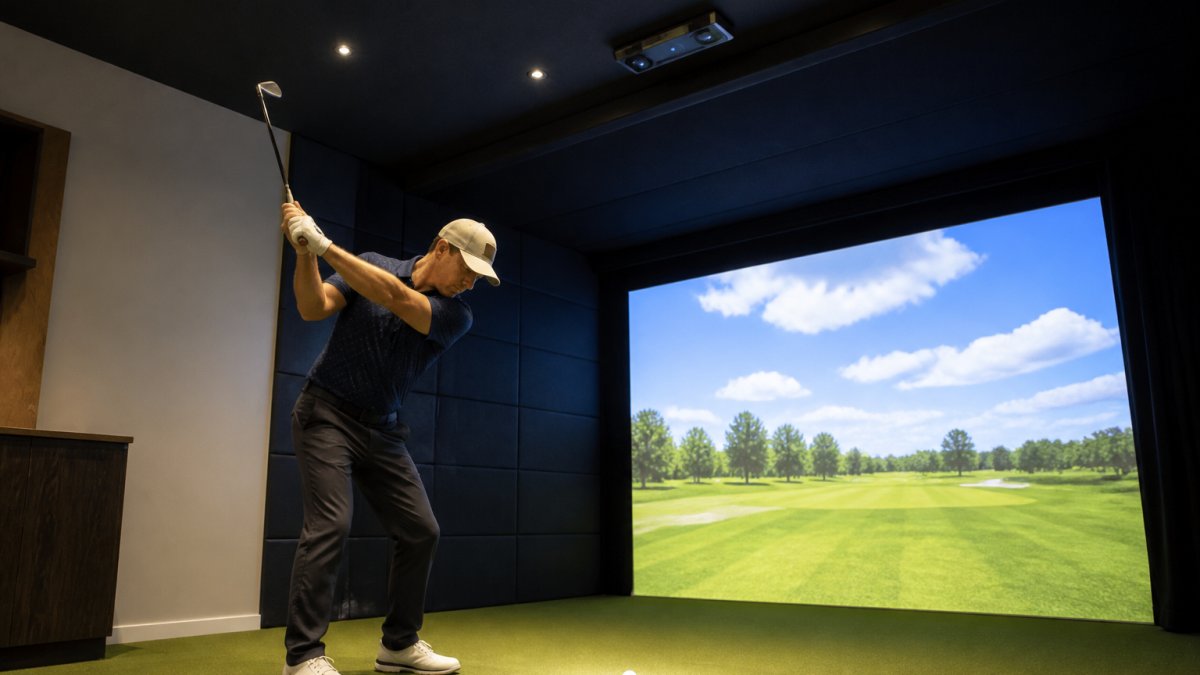
Modern simulators use cameras and infrared sensors to track your swing. The launch monitor sits above the hitting area and captures data in milliseconds. It tracks the club head, the ball, and the impact moment.
The camera sees the ball's initial direction and speed. Infrared sensors measure spin by detecting the ball's rotation. Together, these create a data snapshot of your shot.
This technology is accurate within a small margin. Club head speed readings are typically within 1-2 mph of actual speed. Ball speed is similarly precise. Launch angle and spin rate have slightly more variation, but still reliable for tracking trends.
The key word is "reliable." You might not get perfect accuracy, but you get consistent accuracy. If you hit the same shot twice, the simulator should read nearly identical numbers both times.
Why Simulator Distances Differ From Your Real Game
Indoor simulators can't account for every variable on a real course. Wind speed and direction change how far your ball travels. Elevation changes affect distance. Ground firmness matters. A ball landing on hard fairway carries differently than one landing on soft rough.
Simulators also assume a standard ball. Real courses have different grass conditions that affect roll. A shot that carries 150 yards and rolls 10 yards on a simulator might carry the same distance but roll only 5 yards on wet grass outdoors.
Temperature affects ball flight too. A ball flies differently in cold weather than warm. Most simulators assume standard conditions.
The gap between simulator distance and real distance is usually 5-15 yards for most golfers. Knowing your personal gap helps you adjust. If you consistently hit 160 yards in the simulator but 145 yards on the course, subtract 15 yards from your simulator distances when planning real course strategy.
Indoor Golf Simulator Setup: Getting Accurate Readings
Positioning and Stance Considerations
Where you stand in the bay affects accuracy. The launch monitor needs a clear view of your swing. Stand too far forward and the camera might miss part of your motion. Stand too far back and the ball might leave the hitting area before the monitor captures it.
Most simulators work best when you stand about 6-8 feet from the screen. Your ball should be positioned where the monitor can see it clearly from above. Check your facility's guidelines. At Open Tee Golf, staff can help you position correctly.
Your stance should be consistent. The same setup every time helps the simulator read your swing reliably. Small changes in positioning shouldn't dramatically change your numbers, but they can. If you move 12 inches forward or back, your readings might shift slightly.
The hitting surface matters too. A firm, level mat gives better readings than a soft or uneven surface. Your club needs solid contact with the mat to generate accurate metrics.
Equipment Maintenance for Consistent Accuracy
Clean the camera lens regularly. Dust and smudges reduce accuracy. A soft cloth and gentle cleaning take 30 seconds and make a real difference.
Check that the hitting mat is level and firm. A worn or soft mat absorbs energy differently than a firm one. This changes how your club interacts with impact, which affects ball speed readings.
Make sure your clubs are in good condition. A worn or damaged club face changes how the ball compresses at impact. This affects spin rate and ball speed. You don't need new clubs, but they should be playable.
Keep the bay temperature stable. Extreme heat or cold affects how balls behave. Most facilities maintain comfortable temperatures. Wyoming, MI winters are cold, but Open Tee Golf keeps bays climate-controlled year-round.
Five Practical Tips to Improve Your Simulator Accuracy
Tip 1: Focus on consistent contact. Hit the center of the club face every time. Off-center hits create misleading numbers. Your club head speed might be fine, but poor contact makes ball speed look weak.
Tip 2: Use alignment aids. Most simulators have alignment lines on the screen or mat. Use them. Consistent alignment helps you track whether your swing changes are real or just positioning changes.
Tip 3: Take multiple shots before analyzing. One shot tells you almost nothing. Hit five shots with the same club and look at the average numbers.
Tip 4: Compare to your own baseline. Don't compare yourself to tour pros or online leaderboards. Track your own numbers over time. A 2 mph increase in club head speed is progress, even if it's small.
Tip 5: Record video of your swing. Use your phone to film yourself. Watch the video and the simulator numbers together. You might see why your spin rate is high or your launch angle is off.
Common Accuracy Mistakes Beginners Make
Many beginners assume the simulator distance is their real distance. It's not. As discussed, real courses add variables simulators can't replicate. Adjust your expectations down by 10-15 yards per club until you know your personal gap.
Another mistake is trusting spin rate too much. Spin rate readings can vary based on where you hit the ball on the face.
Some beginners change their swing after every session based on simulator feedback. This creates inconsistency. Your swing needs time to develop. Small changes take weeks to show real results. Don't overreact to a single practice session.
Beginners also sometimes ignore the obvious. If your ball speed is low, your first thought should be "am I making solid contact?" Not "I need a stronger swing." Video helps here. Watch yourself.
Finally, many beginners forget that simulator practice is still practice. It's not real golf. The environment is controlled. The feedback is instant. Real golf is messier and slower.
Using Simulator Data to Improve Your Real Course Performance
Simulator data is a tool, not a prediction. Use it to identify patterns in your swing.
If your launch angle is consistently low on 7-irons, you might need a different swing thought. Maybe you're de-lofting the club at impact.
If your spin rate is erratic, focus on contact quality. Inconsistent spin usually means inconsistent contact location on the club face.
If your club head speed is lower than you expect, consider your fitness. Swing speed comes from flexibility, strength, and technique. All three matter.
Track one metric for two weeks. Collect 50-100 shots. Look for patterns. Most beginners find that one or two metrics are holding them back. Focus there.
Then test your improvements on a real course. Does lower spin rate on your driver actually help? Does better launch angle on your irons improve accuracy?
Wyoming, MI golfers using Open Tee Golf's Full Swing technology have an advantage: they can practice year-round without weather interruptions. Winter practice with simulator data, then test improvements in spring and summer.
Indoor golf simulator accuracy for beginners comes down to understanding what the technology measures and what it doesn't. That precision feedback, combined with private practice bays and climate-controlled comfort, creates the ideal environment to refine your swing mechanics and improve your game year-round. Learn more about golf swing mechanics from the PGA.
Frequently Asked Questions
How accurate are indoor golf simulators for beginners?
Modern indoor golf simulators with launch monitor technology are highly accurate for tracking ball flight, clubhead speed, and distance. For beginners, the readings are reliable enough to identify swing patterns and track improvement over time. However, factors like setup, stance, and equipment calibration affect the precision of your readings. The key is understanding that simulator data shows your swing mechanics consistently, even if outdoor course conditions vary.
What affects golf simulator accuracy indoors?
Several factors impact accuracy: your stance and positioning relative to the launch monitor cameras, how clean the sensors are, the quality of the simulator software, and your equipment setup. Environmental factors like lighting and room temperature can also play a role. Beginners often see variations in readings because they're still developing consistent swing mechanics. Regular equipment maintenance and proper positioning in your bay ensure the most reliable data.
Why do my indoor simulator distances differ from what I see on the course?
Simulators measure ball flight physics in a controlled environment, but real courses include wind, elevation changes, turf conditions, and atmospheric factors that affect distance. Simulators also calculate carry distance based on launch angle and spin rate, which may differ from how the ball rolls out on actual fairways. Beginners should use simulator distance as a baseline for swing mechanics, not an exact prediction of course performance. Track your swing data consistently to improve, then adjust expectations when playing outside.
Which simulator numbers should a beginner pay attention to?
Start with these key metrics: ball speed (how fast the ball leaves the club), clubhead speed (your swing power), launch angle (trajectory), and carry distance. Spin rate matters for more advanced players. For beginners, focus on consistency in these numbers across multiple swings rather than chasing high numbers. Improving your ball speed and launch angle will have the biggest impact on your real game. Once you're comfortable reading these, explore other data points available in your simulator software.